Single user
The concession holder, the professional
- Your hubs, one per concession
- Invite who you need, section by section
- Deadlines and audit log for each hub
With an organization you manage the hubs of the concession holders you follow from Client management, request documents with a template and see who uploaded what. Client names, templates and outcomes stay encrypted.
Two ways
The same Pontile, two ways to use it. You can start on your own and create an organization when you need one.
Single user
Organization
How it works
Name your firm and add your colleagues, checking their fingerprints.
Pontile opens a hub for each client. Invite the concession holder or whoever uploads for them.
Folders and required documents, with instructions and how many days they are due in.
The client gets a generic email and finds their list of documents to upload.
Open each document in the browser. If it is wrong, reject it with a reason and the client uploads again.
Progress per client and across clients. Nudge the ones who are behind with one click.
Client management
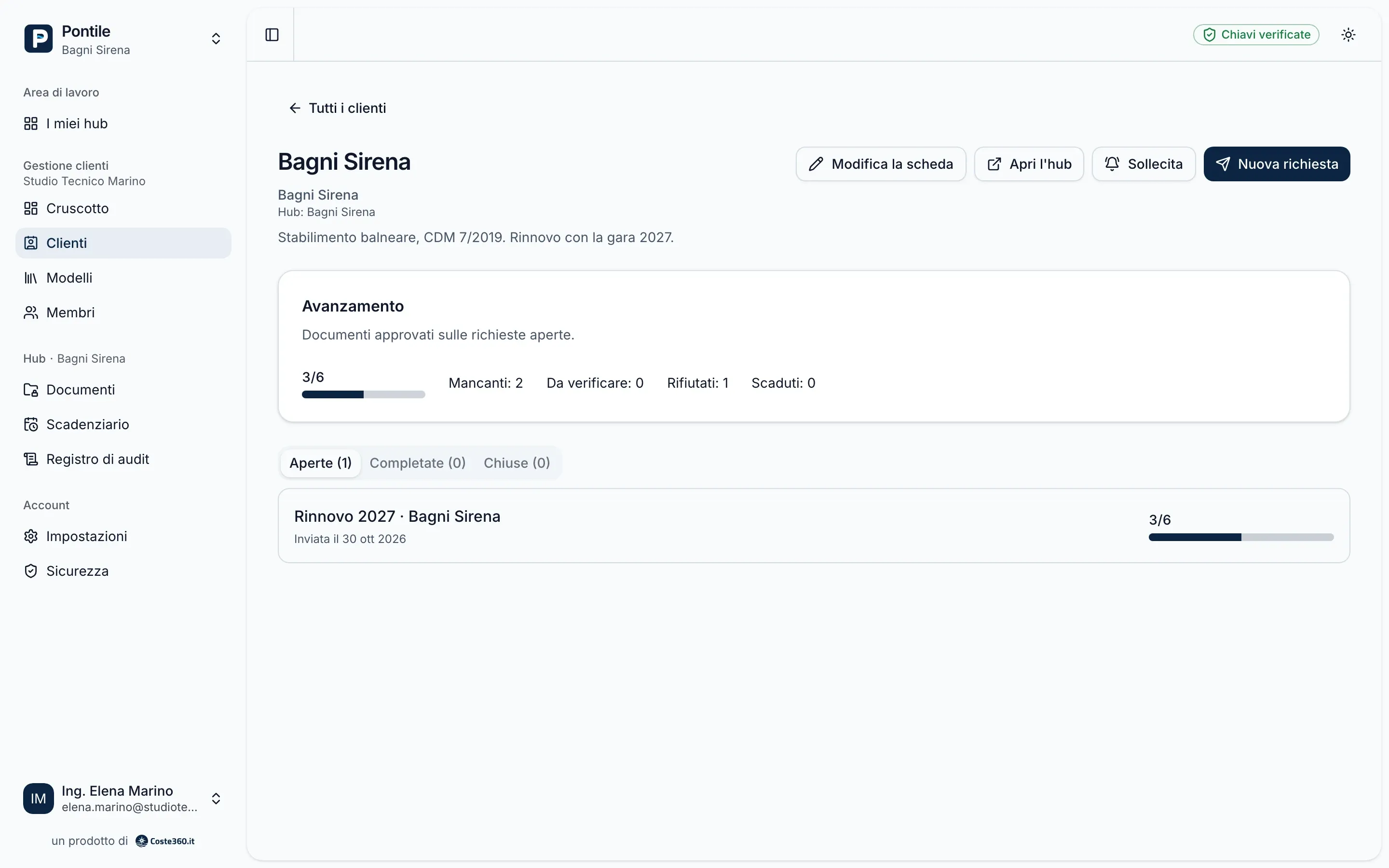
The client record holds internal notes, open and completed requests and progress: documents approved, missing, to review, rejected and overdue. From here you open the hub, send a new request or send a reminder.
Request templates
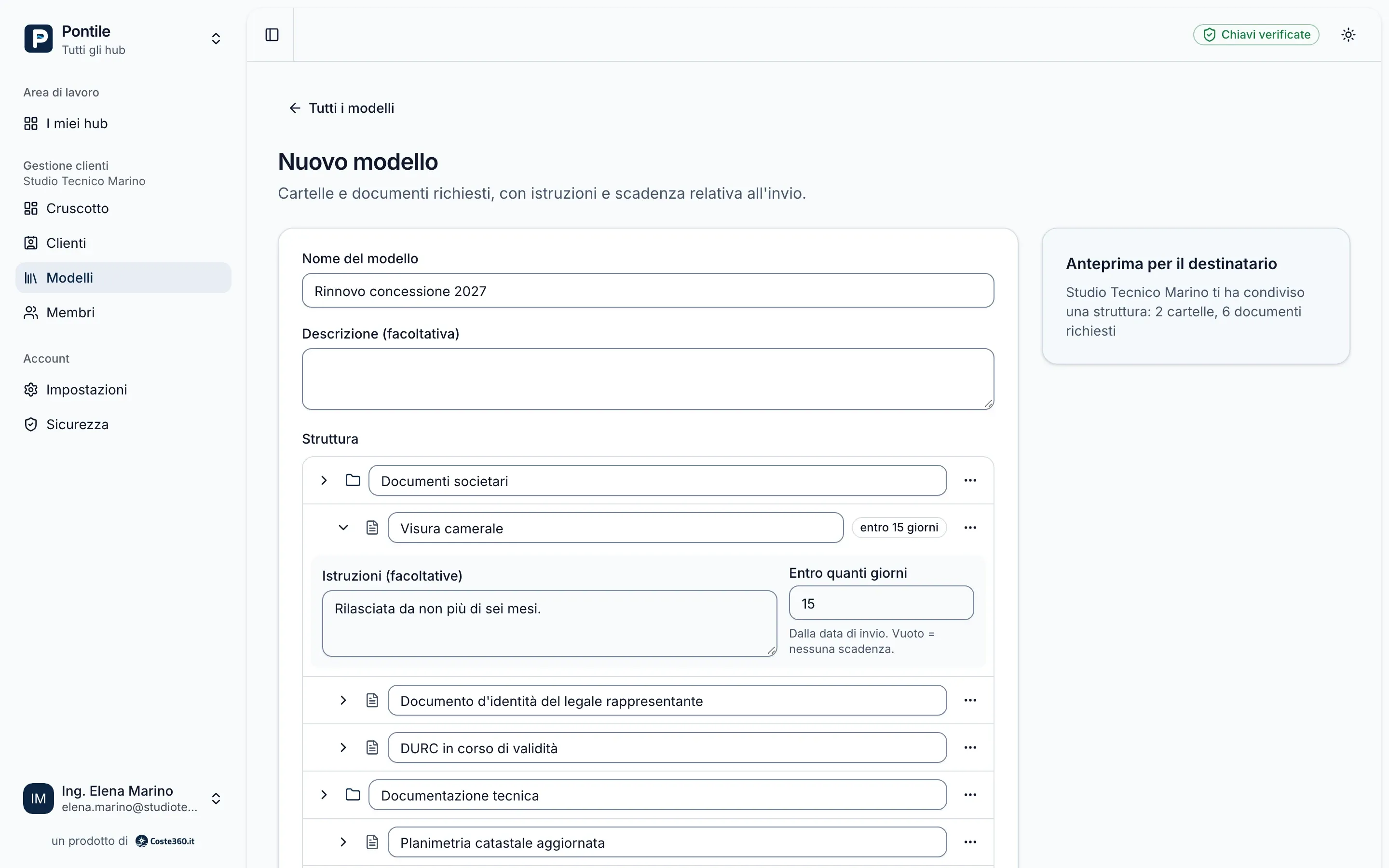
A template is a tree of folders and slots: “Company register extract”, “Updated cadastral plan”, “Liability insurance”. For each slot you add instructions and how many days after sending it is due. The template stays in the firm’s library, encrypted with the organization key.
On the client’s side
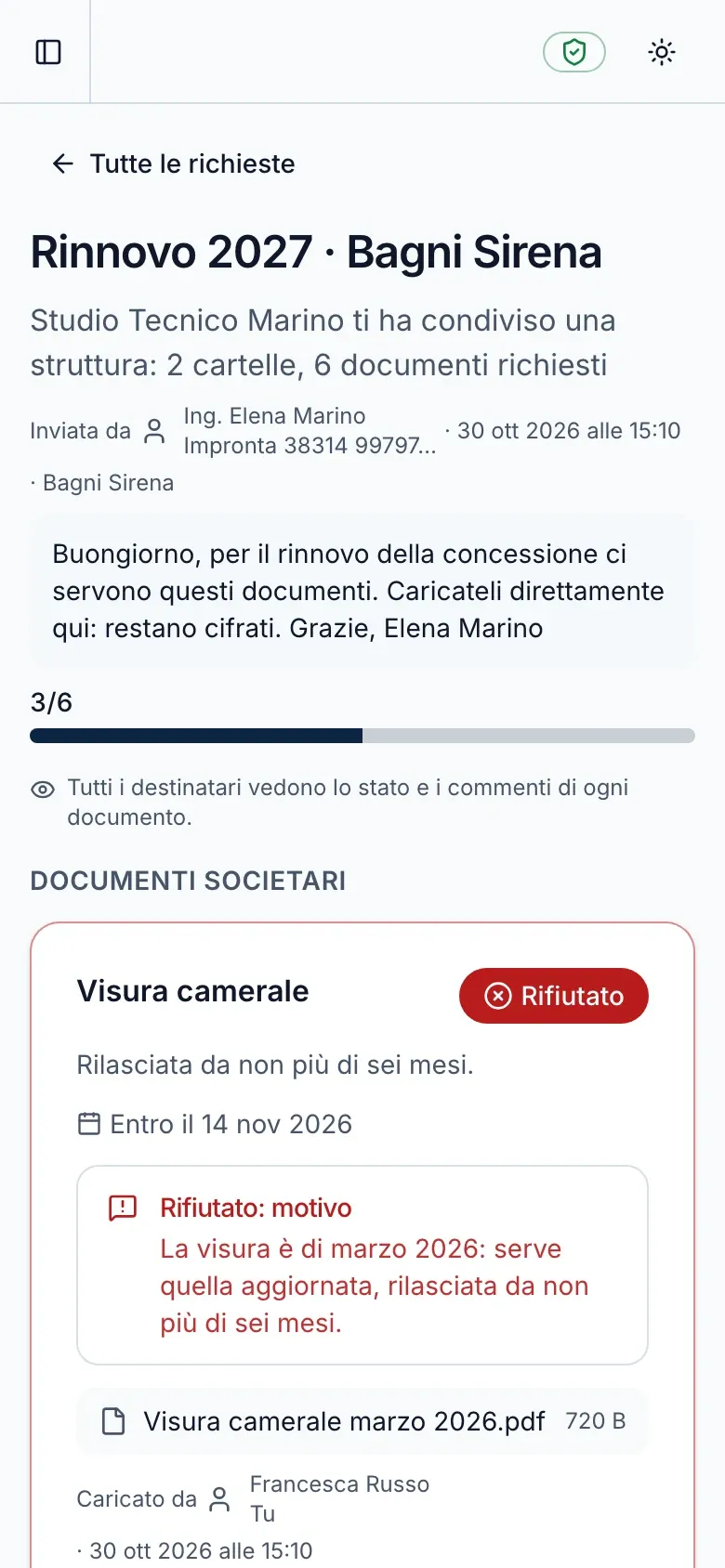
The client opens “Requests for you” and finds the list, on the phone too: upload a file or take a photo. Each document has its state and, if rejected, the reason.
Review
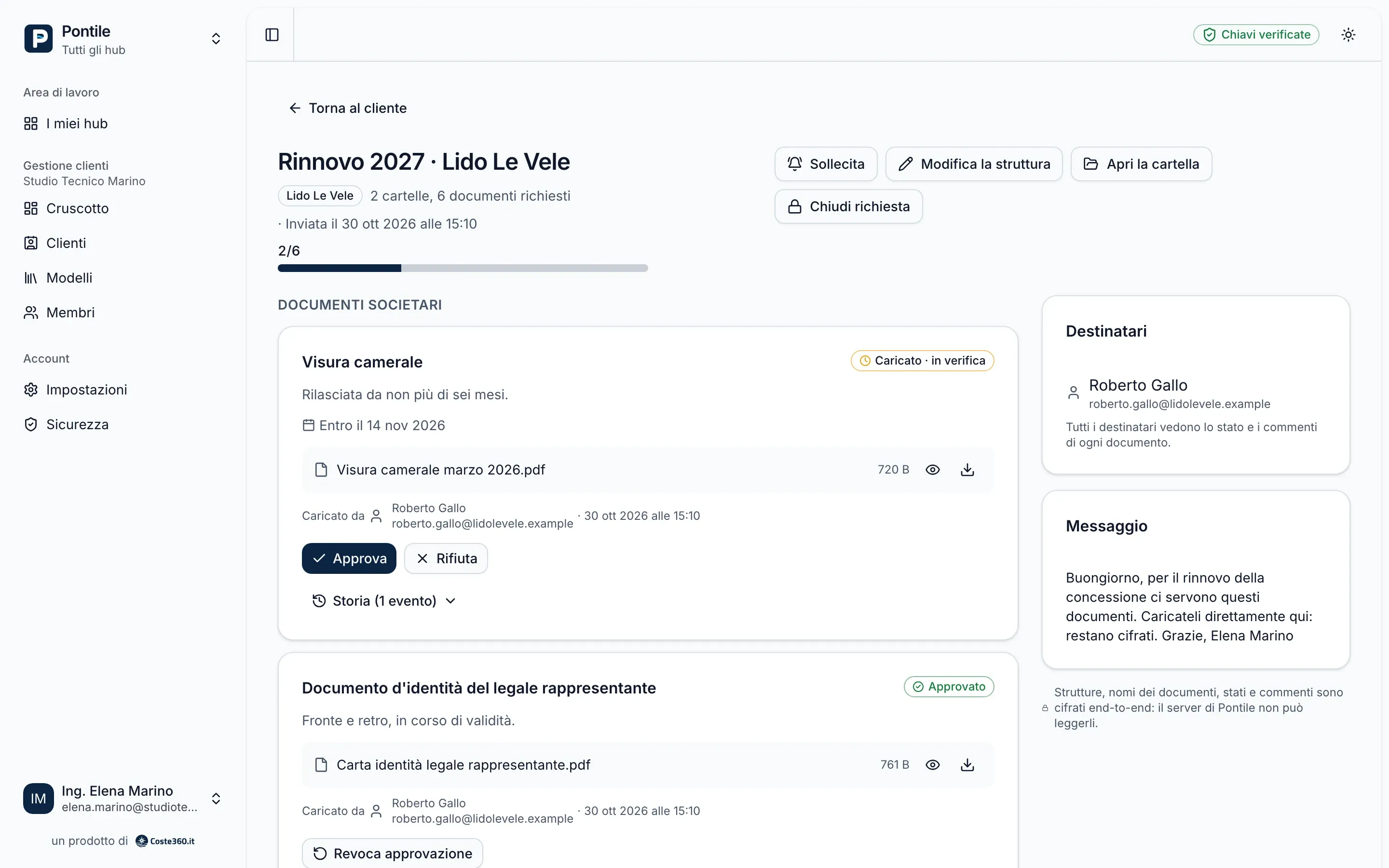
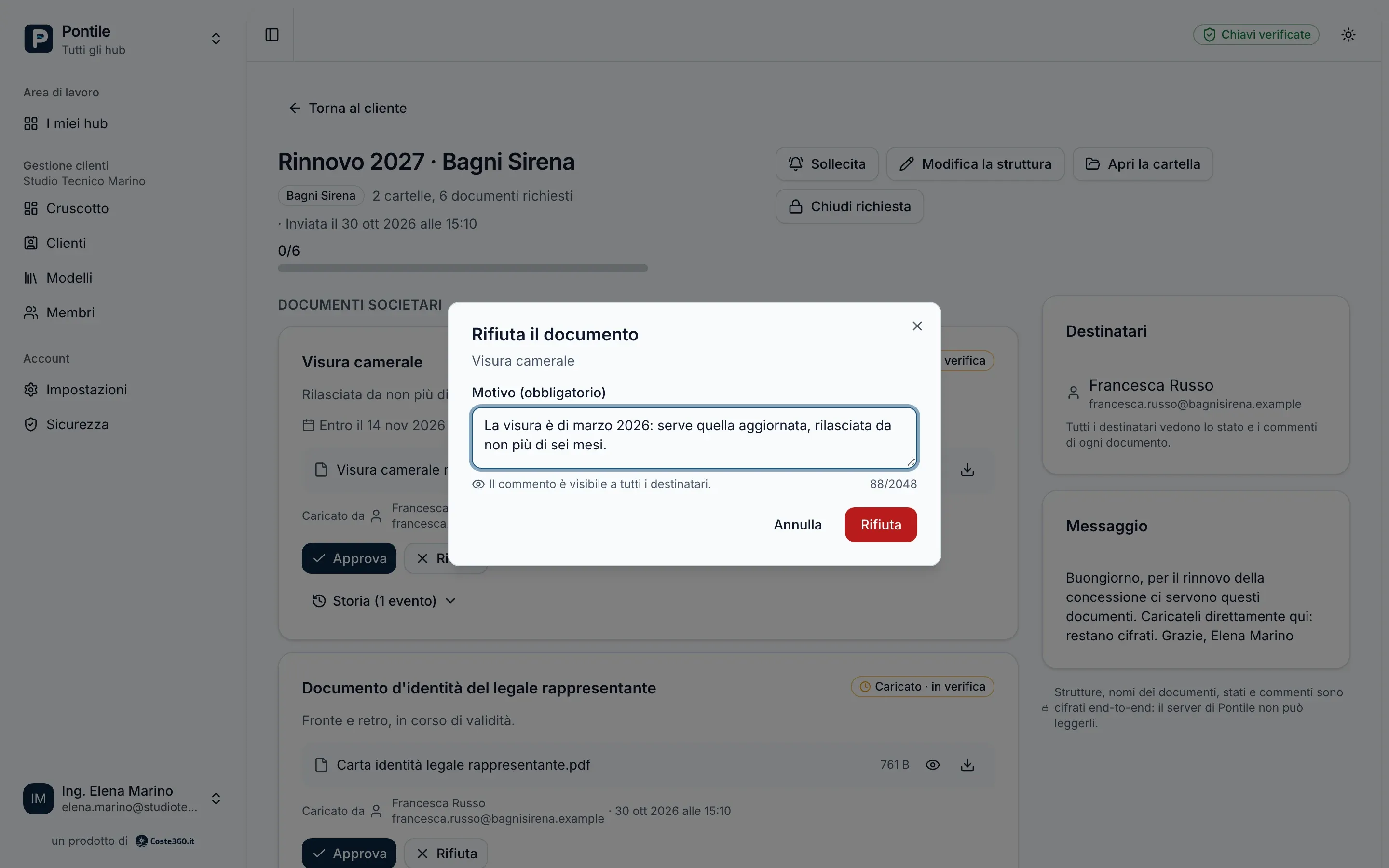
Open and download each document in your browser. If it is right, approve it; if not, reject it and say why: the reason is encrypted and visible to the recipients of the request, who upload a new version. Every step is signed and kept in the slot history.
Dashboard
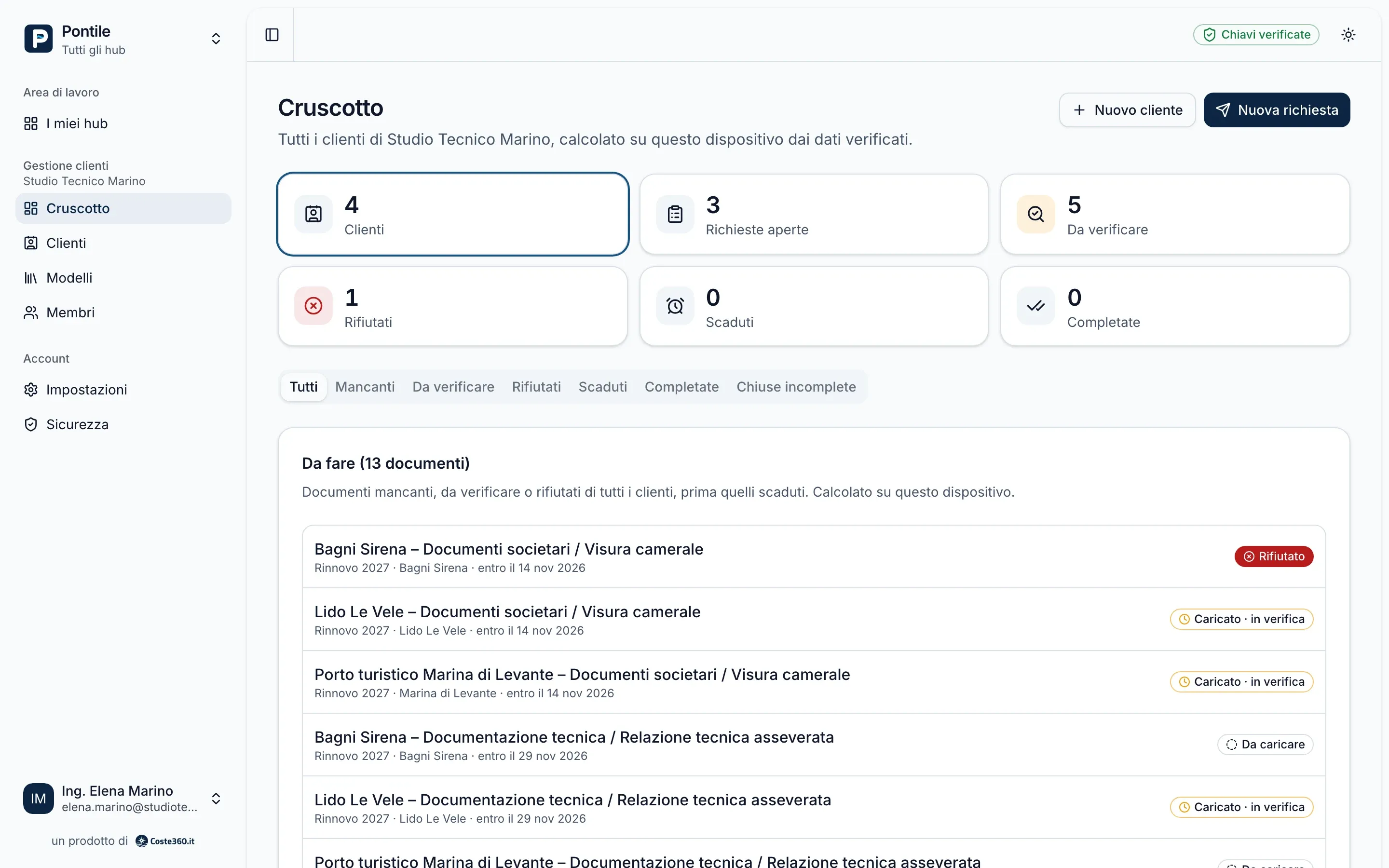
The dashboard brings all clients together: open requests, documents to review, rejected and overdue ones, and the list of what is missing, client by client. It is computed in the browsers of the firm’s members, after decrypting and verifying the data. “Sollecita” (nudge) sends the people who still have to upload a generic email, with no names or details, at most once a day per request.
Confidentiality
What can be inferred
Some things can be inferred from the sequence of events: for example, a new upload right after a review suggests a rejection. We say so because it is true.
Yes. The members of the organization are listed in a signed chain that the client’s browser verifies: the firm cannot add someone secretly.
You remove them from the organization: they lose access at once, and the keys of the organization and of every hub they could read are rotated. Whatever they had already downloaded stays with them.
For now an organization manages the hubs it creates for its clients. Linking an existing personal hub will come later; meanwhile the owner can invite the firm’s members as individuals.
A demo on a case like yours: your clients, your request templates.